
Download SnIco Edit – Icon Creator, Utility Tool, Mobile App
Overview
SnIco Edit is a utility application designed to empower users with the ability to create custom icons without requiring prior design experience. The app serves as a straightforward solution for individuals seeking to personalize their digital environments, whether for desktops, applications, or creative projects. Its core purpose lies in simplifying the icon creation process through accessible tools and flexible options.
Target users include hobbyists, students, developers, and casual users who want to generate unique icons for personal use. While the developer did not provide additional background information, the app has been available since 2006, indicating a long-standing presence in the niche of icon editing tools. Despite its age, SnIco Edit remains relevant due to its focus on core functionality and ease of use.
Real-world applications include customizing software interfaces, enhancing personal device aesthetics, and preparing assets for small-scale digital projects. In the broader app ecosystem, it fills a gap for lightweight, no-frills icon creation tools, especially for users who prefer offline solutions over complex design software. The app’s enduring utility underscores its value as a specialized utility within the productivity and creative tools category.
Key Features & Functionality
- Multiple Size Support: SnIco Edit enables users to create icons in sizes ranging from 16x16 to 256x256 pixels. This range ensures compatibility with various platforms and applications, from small desktop icons to high-resolution displays.
- Color Depth Flexibility: The app supports multiple color depths, including grayscale, black and white, true color, and transparency. This allows for precise control over visual output, accommodating both minimalist and vibrant design styles.
- File Import Capability: Users can import icons from DLL and EXE files, making it possible to extract, modify, or repurpose existing resources without needing advanced tools.
- Intuitive Interface: Designed with accessibility in mind, the interface is straightforward and easy to navigate. Even users without prior experience in graphic design can quickly learn to use the app’s core features.
- Free for Personal Use: The software is available at no cost for non-commercial purposes, removing financial barriers for hobbyists and creatives exploring icon design.
For example, a student working on a personal project could use SnIco Edit to design a custom icon for a self-made application. A hobbyist might import an existing icon from a program and modify it to reflect a unique theme. The ability to work with transparency and multiple sizes ensures that the final output is both visually consistent and functionally appropriate across different contexts.
Interface, UX & Performance
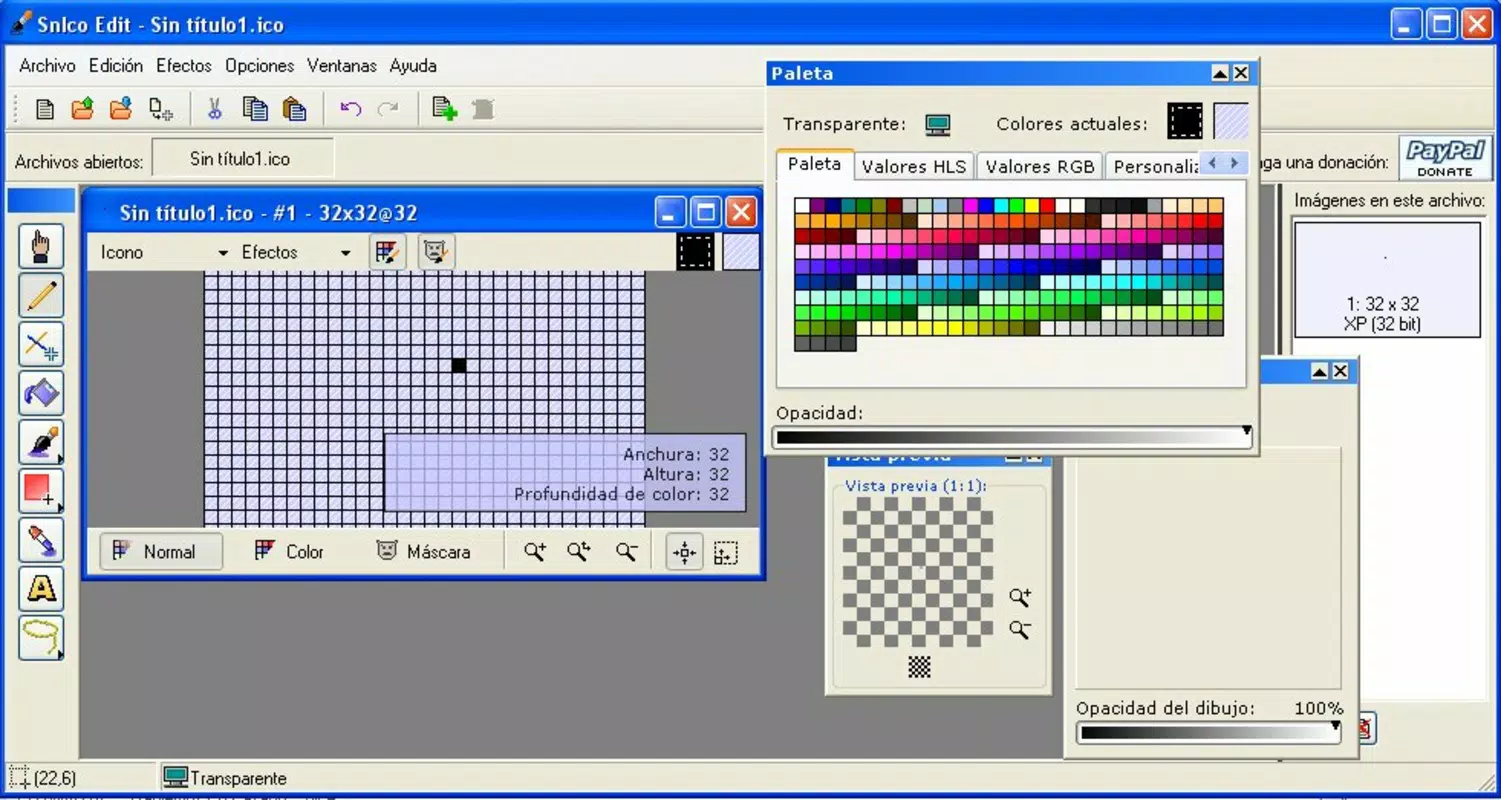
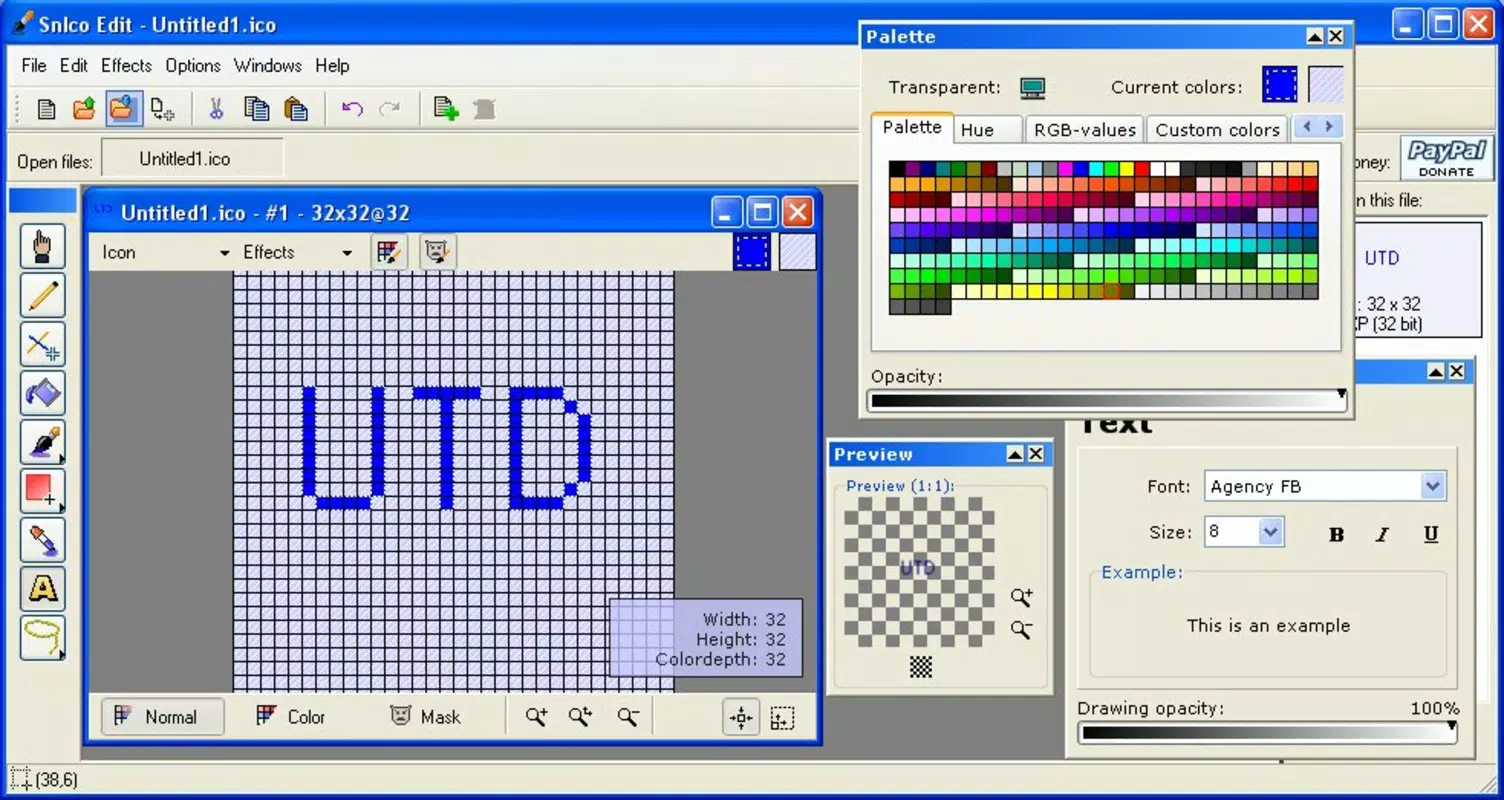
SnIco Edit features a clean, minimal interface that prioritizes functionality over visual flair. The layout is structured around essential tools, allowing users to access size settings, color depth options, and import functions with few clicks. Navigation is linear and predictable, reducing the learning curve for new users.
The app’s design emphasizes clarity, with clearly labeled buttons and a consistent workflow. Although the developer did not list formal performance metrics, the app’s lightweight nature suggests it operates efficiently on a range of devices. Users can expect responsive interactions, even on older hardware, given its long-standing compatibility.
Stability appears to be a strength, as the app has remained in use for over 15 years without widespread reports of crashes or bugs. While no official information was provided on device compatibility or optimization across screen sizes, the app’s interface design implies adaptability to various display resolutions. Overall, the user experience is focused on simplicity and reliability, making it suitable for users who value efficiency over advanced visual effects.
Platform Compatibility & Technical Requirements
SnIco Edit is designed for use on Windows operating systems. The specific version details were not provided, nor were minimum OS requirements disclosed. The app’s file size is listed as 2.8 MB, indicating a lightweight footprint that contributes to quick installation and minimal system resource usage.
Although the developer did not specify compatibility with modern Windows versions, its continued availability suggests it may function on current systems. Users should exercise caution when installing older software on updated platforms, as compatibility issues may arise. The absence of information on mobile availability or support for iOS or Android means that the app is not currently accessible on smartphones or tablets.
For users seeking a mobile version, alternative tools may be required. The app’s reliance on desktop environments aligns with its utility-focused design and long-standing history in the Windows ecosystem.
Pros and Cons
Pros
- Free for personal use, removing cost barriers for hobbyists and students.
- Supports a wide range of icon sizes, from 16x16 to 256x256 pixels.
- Offers multiple color depth options, including transparency and true color.
- Allows import of icons from DLL and EXE files for modification and reuse.
- Simple, intuitive interface suitable for users with no design experience.
Cons
- Developer did not provide technical specifications or system requirements.
- Platform availability was not confirmed for modern Windows versions or mobile devices.
- No official updates or maintenance information has been published.
- Interface design appears outdated compared to current standards.
- Limited to desktop use; no support for Android or iOS.
FAQ
Is SnIco Edit safe to download and install?
Yes, the app is considered safe for use as long as it is downloaded from a trusted source. As a long-standing utility tool, it has not been associated with malware or security threats.
Can I use SnIco Edit for commercial projects?
No, the app is free only for personal, non-commercial use. Using it for commercial purposes may violate licensing terms.
Does SnIco Edit support mobile platforms?
The developer did not specify mobile compatibility. Based on available information, SnIco Edit is designed for desktop use and is not available on Android or iOS.
What file types can I import into SnIco Edit?
SnIco Edit supports the import of icons from DLL and EXE files, allowing users to extract and modify existing resources.
How do I update SnIco Edit?
There is no official update mechanism or release history provided. Users should rely on the latest version available from the original source.
Final Thoughts
SnIco Edit remains a reliable choice for users seeking a no-frills tool to create and modify icons on desktop systems. Its combination of size flexibility, color depth options, and import functionality makes it a practical solution for personal and educational projects. While its interface and lack of updates may feel dated, its core functionality is solid and effective.
The app’s free availability for non-commercial use enhances its accessibility, making it an ideal starting point for beginners in digital design. For those who value simplicity, efficiency, and offline operation, SnIco Edit delivers tangible value. It may not offer the polish of modern design tools, but it excels in its niche.
Download SnIco Edit now


